elgato.
Your Elgato gear, at home on Omarchy. Give your Elgato gear a home on Linux. Buttons, dials, and lights. All tuned to the way you work.
Open source. MIT licensed. Built for Omarchy Shell.
YOUR WORKFLOW, WITH FEELING.
STREAM DECK + ●
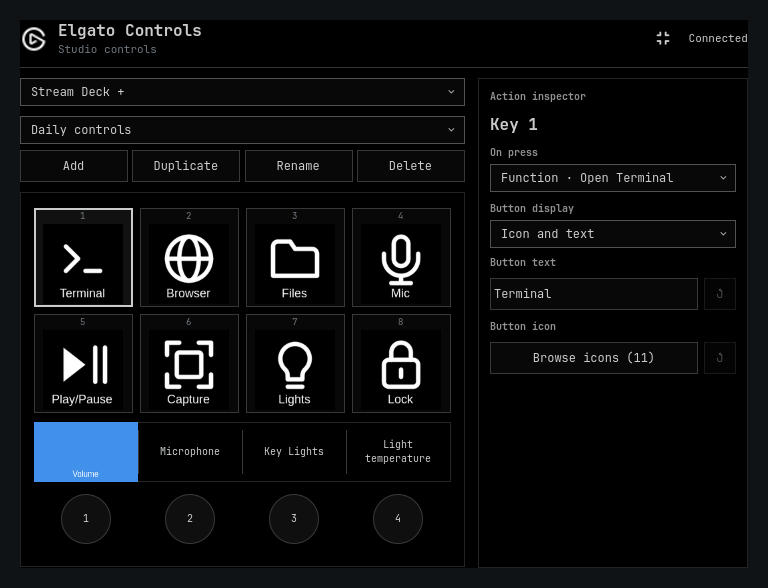
›_ Terminal ◎ Browser ▱ Files ♩ Mic ▶Ⅱ Play / pause ⌗ Capture ☼ Lights ⌂ Workspace
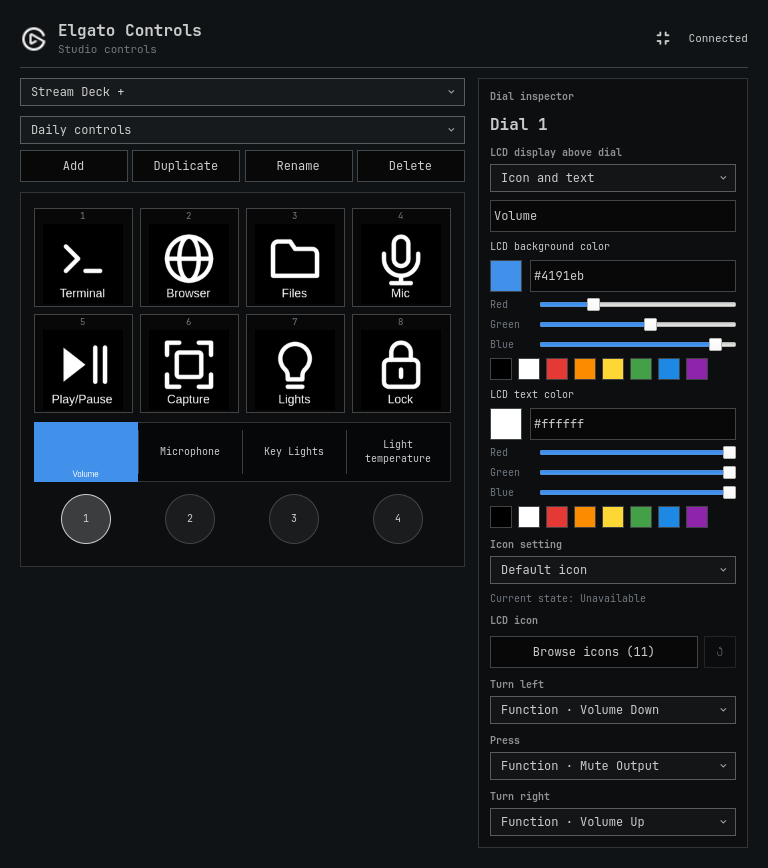
VOL72% MICON LIGHT80% TEMP4200K
elgato +
ILLUSTRATED SETUP / MAKE IT YOUR OWN
PRESS. TURN. LIGHT IT UP. MAKE IT YOURS. ↙
01 / TAKE CONTROL
Less clicking. More doing. Keep your favorite actions within reach. Configure everything from the Elgato icon in your Omarchy bar.
STREAM DECK
A shortcut to your kind of flow. Launch apps, switch workspaces, control audio, and keep your everyday actions on a button. Build independent pages and nested folders for each device model.
Explore buttons & pages ↗ Custom icons State-aware displays Pages & folders
● ● ● elgato-controls / buttons
DIALS & DISPLAYS
Dial it in. Adjust volume, microphone levels, and lighting. Customize the LCD artwork above each dial with icons, text, and colors.
Explore dial controls ↗ KEY LIGHTS
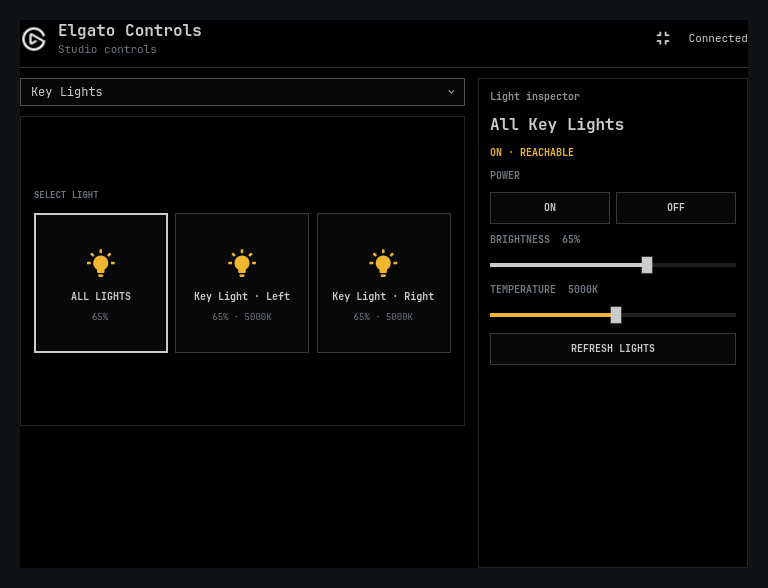
Set the mood. Control network Elgato Key Lights from your desktop. Adjust brightness and temperature, or bring your lights together with grouped actions.
Explore light controls ↗ 02 / BUILT TO BE YOURS
Same hardware. Entirely your setup. Your desktop has a personality.
[01] Make every key yours. Bring your own icons, captions, and colors. Give toggles a different icon for each action state.
[02] Go beyond the defaults. Add user-installed action packs with their own commands, icons, and dependency checks.
[03] Plan it offline. Configure an offline device preview before connecting your hardware. Your profiles and custom assets stay yours.
03 / LET’S GET CONNECTED
A new home for your gear. Start with Omarchy Quattro, Omarchy Shell, and the omarchy plugin commands. Then install and enable:
omarchy plugin add https://github.com/dxun-dev/omarchy-elgato.git --enableCopy
Choose where to place the widget. On first enable, accept the setup prompt for any missing packages and USB access, then open the Elgato icon to configure your devices.
›_ YOUR DESKTOP.YOUR CONTROL.
LINUX / OMARCHY / OPEN SOURCE